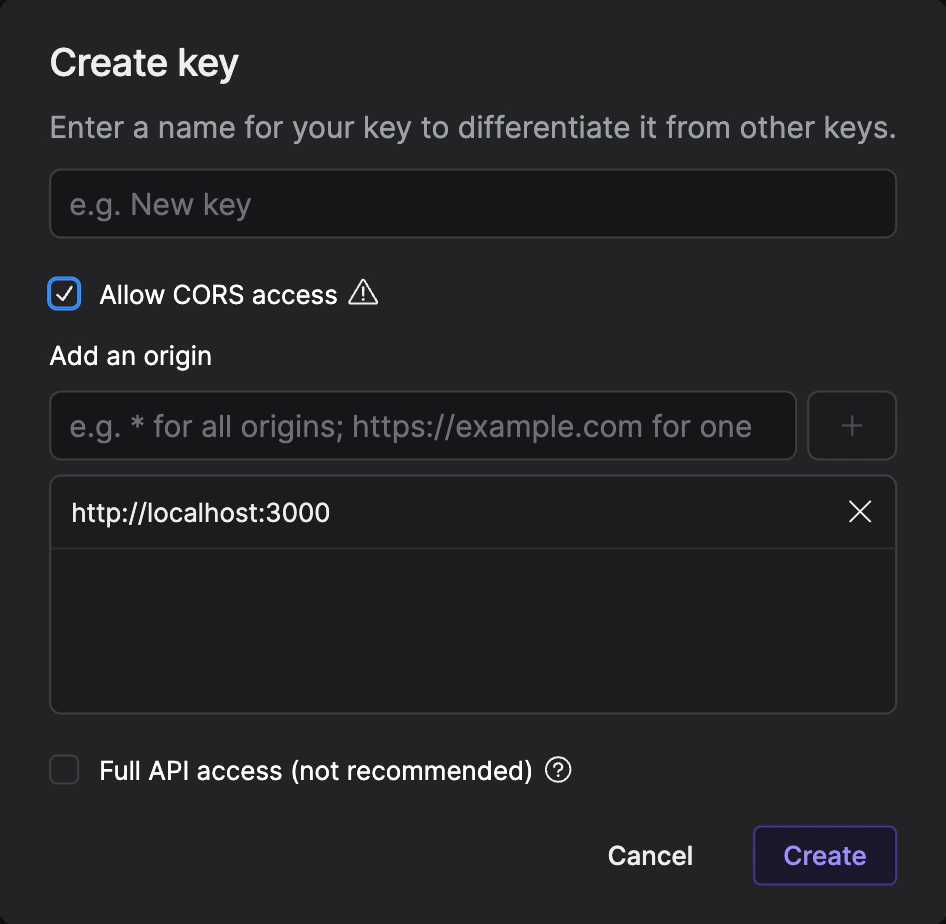
Livepeer API uses API keys to verify and authorize requests. You can manage and
review your API keys through Livepeer Studio. You need to pass your API key in
the Authorization header with a Bearer prefix while sending a request.
It’s important to note that your API keys come with significant privileges, so
it’s essential to keep them safe and secure! Refrain from sharing your secret
API keys in GitHub or other publicly accessible places.
By default, API keys can only be used from a backend server. This is to ensure
maximum security and prevent that you accidentally expose your account by
including the secret API key in a public web page.
CORS-Enabled Keys
Please read the below documentation in its entirety before using CORS-enabled
API keys. There is a different security model for CORS keys.
Security with CORS Keys
The security model is different for CORS-enabled API keys. Since any user
has access to these keys, the IDs of assets and streams must be kept secret
from anyone who should not have admin control over them. For instance, a viewer
should only have access to the playback ID, since knowing the asset ID (together
with the CORS-enabled API key, which is embedded in the webpage) allows them to
make changes to the asset.
This is the same for streams - if a user has access to a stream ID alongside the
CORS API key, they can modify the stream or view the stream key. If a viewer had
access to the stream ID + CORS API key, they could hijack the stream. A
playbackId should be exposed to the viewer only.